Private beta · version 0.2.1
Your job hunt, on autopilot.
Applyhawk finds jobs that fit your CV, writes a CV and letter for each one, and fills in the form. You stay in control of Submit. Everything stays on your computer.
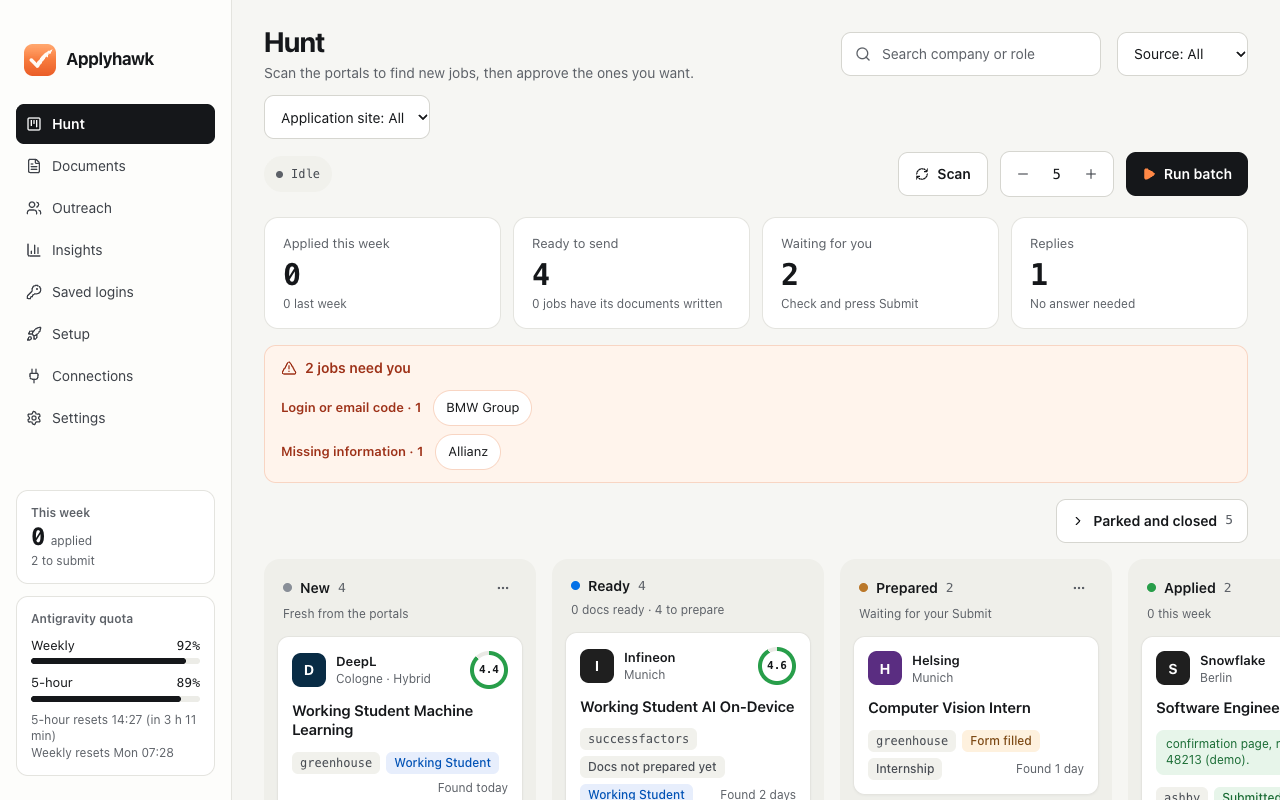
Private betaYou need a licence key to use the app. You enter it when the app opens.
Screenshot shows demo data. The installers come from GitHub. SHA-256 Windows · Mac
Set up in about 15 minutes.
Written for Windows, the first test. Mac notes are further down.
- 1
Download the installer
Press the button for your computer above. Already have an older version? Just run the new installer: your data stays.
- 2
Run it, past the blue warning
Windows shows “Windows protected your PC” because this test version is not signed yet. Click More info, then Run anyway. The installer finishes on its own and opens Applyhawk.
- 3
Enter your licence key
Paste the key you got privately. It works on one computer only, so please do not share it. Changing computers? Message the person who gave you the key and it will be moved.
- 4
Pick your country and cities
Choose Germany (or your country), your city and how far you would travel. Then remote work: only my city, also remote in Germany, or also worldwide remote.
- 5
Add your CV
A PDF or Word file. Applyhawk reads it once and only ever uses facts from it.
- 6
Connect an AI (free)
Download Antigravity, install it, and sign in with your own Google account. Never someone else’s: a “Sign in with Google” button would then log in as them, for example on LinkedIn. How many applications a day it covers depends on your plan; we are still measuring this, so tell us when you run out.
Already pay for ChatGPT Plus or Claude Pro? Use Codex or Claude Code instead, signed in with that account, no API key. Codex needs Node.js first; its card tells you if it is missing. While a card is open, Applyhawk looks for the tool every few seconds.
Then press Test connection. It asks the AI a tiny question and lets it fill in a tiny test page on your computer, about half a minute.
- 7
Pick the jobs you want
Applyhawk suggests job titles from your CV, with how many are open right now. Tick the ones you would say yes to.
- 8
Answer the usual questions once
Start date, hours, salary and similar. They are reused in every form.
- 9
Telegram alerts (optional)
Follow the steps on screen to make your own bot in Telegram and scan the code. You get a message when a job is ready for you.
- 10
Your first hunt
Applyhawk searches right away and writes a sample letter so you can see how it works. Nothing is sent without you pressing Submit.
What you need
- ComputerWindows 10 or 11, or a Mac with Apple Silicon
- Free spaceAbout 1 GB
- BrowserMicrosoft Edge or Google Chrome
- CVPDF or Word
- Free AIYour own Google account
- LicenceYour licence key
- AlertsTelegram on your phone (optional)
Good to know
- Automatic runs search every morning at 09:30. Turn them on or off under Settings → Automatic runs.
- Auto-submit is off. Applyhawk fills the form and waits for you to check and press Submit.
- Jobs that need you (a CAPTCHA, a login, an email-only portal) show under Needs attention.
- Letters have an Edit button, and your edits are never overwritten.
- Skip this job in the live run stops only that job (nothing is sent).
- Back up now and then: Settings → Backup and help → Back up.
Get more jobs (optional, free)
In setup, or later under Settings → Keys, add free keys. Each card has the steps and a Test button. Keys are stored encrypted on your computer only.
Apify adds LinkedIn and Indeed searches: the free plan gives 5 USD of credit a month, and Applyhawk spreads it over the month. The searches run on your own Apify account, under LinkedIn’s and Indeed’s rules. Jooble and Adzuna add many more job boards.
On a Mac
Open the downloaded .dmg and drag Applyhawk to Applications. This test version is not notarised by Apple yet, so the first time, Control-click the app, choose Open, and confirm. Still refused? System Settings → Privacy & Security → Open Anyway. Updates on a Mac mean downloading the new version here again.
Something broke?
Open Help → Report a problem. It shows you everything it will send, with names, emails, phone numbers and keys removed. Write one line on what you were doing and press Send to Applyhawk; you get a reference number. Offline? Save the file and send it to the person who gave you the key.
This is a test version. Odd looks, slow screens and confusing words are useful to hear about too, not just crashes.